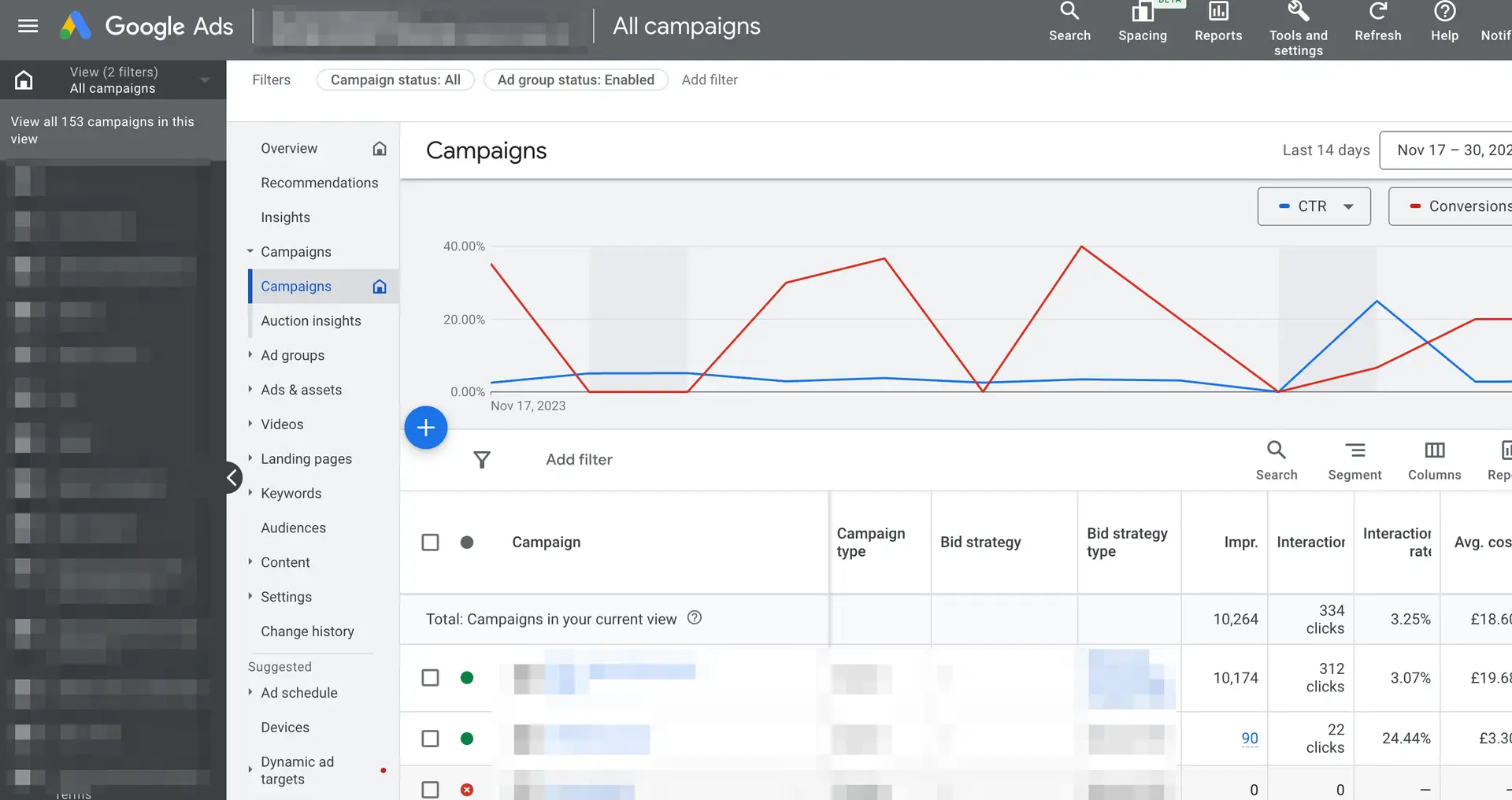

It is the first question almost every small business owner asks before they start advertising on Google, and it is the hardest one to get a straight answer to. Search for it and you will find figures that range from a few pounds a day to thousands a month, which is not much help when you are trying to plan a budget. The honest answer is that Google Ads costs exactly as much as you decide to spend, but how far that money goes depends on a handful of factors you can actually control.
This guide breaks down the real cost of Google Ads in plain English. We will cover the two separate parts of the cost, what a realistic monthly budget looks like for a small business, how much you should expect to pay per click in different industries, and the levers that quietly push your costs up or down. We will also be upfront about the part most agencies are vague on, which is what it costs to have someone manage your account for you.
The Two Parts of Google Ads Cost
The single most useful thing to understand about Google Ads pricing is that your total cost is made up of two completely separate parts. Confusing the two is where most of the bad advice online comes from.
1. Ad Spend (paid to Google)
This is the money that goes directly to Google every time someone clicks your ad. You set the budget, you control it day to day, and you can pause it at any time. This is the part people usually mean when they ask what Google Ads costs.
2. Management Fee (paid to whoever runs it)
This is the cost of the time, skill, and tools needed to set up, run, and improve your campaigns. You can do this yourself for free in terms of cash, or pay an agency or freelancer to do it for you.
When someone tells you a Google Ads campaign cost them £1,500 last month, the number is meaningless until you know how it splits. It could be £1,500 of ad spend with the owner managing it themselves, or £1,000 of ad spend plus a £500 management fee, or any other combination. Keep these two buckets separate in your head and the whole subject becomes far easier to budget for.
One thing we feel strongly about at DPOM, and it shapes how we price, is that the management fee should never be a percentage of your ad spend. We will come back to why later, but it matters enough to flag early. Our management is a fixed monthly fee from £145/month, and it stays the same whether you spend £500 a month or £5,000.
Part One: Understanding Your Ad Spend
Understanding the cost of Google Ads can be a complex affair, but it’s crucial for small businesses seeking to maximise their digital marketing efforts. In essence, the cost is not just about how much you spend, but how effectively you spend it.
The Auction Process
Google Ads operates on an auction system. This is not a traditional auction; instead, it’s a split-second process that determines which ads appear for each search query. When someone searches on Google, an auction is triggered if there are advertisers interested in showing ads related to that search query.
Advertisers select keywords and set bids for these keywords, indicating the maximum amount they are willing to pay for a click on their ad. However, the highest bidder doesn’t always win. Google also considers the quality of the ad and its landing page. This is where the Ad Rank comes in, which is a combination of your bid amount, ad quality (including expected click-through rate, ad relevance, and landing page experience), and the context of the search.
The practical takeaway is that you cannot simply buy your way to the top. A business with a smaller budget but more relevant ads and a better landing page can outrank a bigger spender who is being lazy. This is good news for small businesses, because it means the auction rewards effort and relevance, not just deep pockets.
Cost-Per-Click (CPC)
Cost-Per-Click (CPC) is a familiar metric in Google Ads. It represents the actual amount you pay for each click on your ads. This amount can vary depending on the competition for the keywords you’re targeting and the quality of your ads. Importantly, you often end up paying less than your maximum bid. Google will charge you just enough to outbid the competitor ranking below you.
CPC is where most of the variation in Google Ads cost actually lives. A click in a low-competition niche might cost 40p, while a single click for a competitive commercial term like "personal injury solicitor" or "boiler installation" can run into double figures. Your industry, your location, and the intent behind the keyword all feed into the price.
Typical Cost-Per-Click by Industry
Average CPCs vary enormously between sectors. The figures below are broad UK benchmarks for the Google Search Network and are meant to give you a feel for the range rather than a precise quote. Your own numbers will depend on your specific keywords, location, and competition.
| Industry | Typical CPC range (UK) | Why |
|---|---|---|
| Legal services | £5 to £25+ | High client value and fierce competition |
| Trades (plumbing, heating, electrical) | £3 to £12 | Strong local demand, urgent searches |
| Home improvement & construction | £3 to £10 | High job values pull bids up |
| B2B & professional services | £3 to £15 | Few buyers, each one worth a lot |
| Ecommerce & retail | £0.40 to £2 | High volume, lower margins per sale |
| Travel & hospitality | £0.50 to £3 | Volume-driven, seasonal swings |
If you sell online, our guide to Google Shopping for ecommerce is worth a read, because Shopping campaigns often deliver a lower cost per sale than standard text ads for product-based businesses. If your average CPC looks frightening, it is also worth remembering that a higher CPC is not automatically bad. A £15 click that wins you a £3,000 job is a far better deal than a 40p click that goes nowhere.
Want to model this for your own business? Our free range of Google Ads calculators let you plug in your CPC, conversion rate, and average order value to see whether the numbers stack up before you spend a penny.
Why Cost-Per-Acquisition (CPA) Matters More
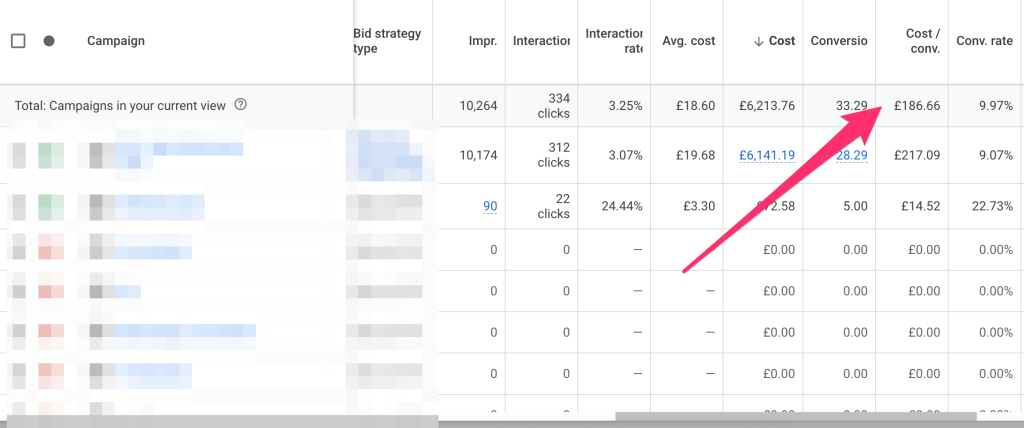
While CPC gives you a good idea of what you pay per click, it doesn’t necessarily reflect the effectiveness of your campaign in terms of achieving your business objectives. This is where Cost-Per-Acquisition (CPA) becomes a more significant metric. CPA measures how much you pay to acquire a customer, not just a click.
For example, if your ads receive 100 clicks at a cost of £2 per click, you spend £200. If out of those 100 clicks, 5 result in a sale or a lead, your CPA is £40 (£200/5). CPA helps you understand the real return on your investment, aligning your spending with actual business results.
Examples in Action
Let’s consider a hypothetical small business, ‘ABC Widgets’, using Google Ads to drive sales. If ABC Widgets sets a maximum CPC bid of £3 for the keyword ‘durable widgets’, they will compete with other advertisers for that keyword. However, due to their high-quality ad and an excellent landing page, they might only pay an average of £2.50 per click.
If their campaign leads to a 5% conversion rate, meaning 5 out of every 100 clicks result in a sale, their CPA would be £50 (£2.50 * 100 / 5). If each sale generates £100 in revenue, then spending £50 to acquire a customer is profitable.
Understanding Your Profit Margins
A critical aspect of determining the profitability of your Google Ads campaigns is understanding your profit margins. Knowing your profit margin for each product or service is essential in assessing whether the cost per acquisition (CPA) is sustainable and profitable for your business.
If your CPA is higher than your profit margin, you are losing money on each sale or lead generated. For instance, if your product sells for £100 with a profit margin of £30, and your CPA is £40, your Google Ads campaign is not profitable. Therefore, it’s crucial to have a clear understanding of your profit margins when setting up and evaluating your Google Ads campaigns. To aid in this process, we offer a range of calculators on our website, which can help you work out your profit margins and assess the profitability of your Google Ads campaigns. These tools are designed to provide valuable insights, enabling you to make informed decisions and optimise your advertising spend effectively.
What a Realistic Monthly Budget Looks Like
There is no official minimum spend for Google Ads. You could run a campaign on £5 a day. The real question is not "what is the minimum" but "what is enough to get useful results". Spend too little and your ads run out of budget by mid-morning, you gather too little data to learn from, and you end up concluding that Google Ads "does not work" when the truth is it was never given a fair chance.
As a rough guide for a UK small business running Search campaigns, here is how different budget levels tend to play out:
£300 to £500 / month
A sensible starting point for a local service business with a tight, focused keyword list and a small geographic area. Enough to test the water and start learning what converts.
£500 to £1,500 / month
Where most of our small business clients sit. Enough budget to cover several services or product lines, gather meaningful conversion data, and optimise properly.
£1,500+ / month
Suited to competitive industries, wider geographic targeting, or businesses ready to scale. At this level the quality of management makes a real difference to your return.
Whatever you spend, the golden rule is to start a little smaller, prove the campaign works, and scale up once you can see the numbers stacking. We always tell clients it is better to grow a profitable campaign than to throw a big budget at an unproven one. If you are weighing Google Ads against other channels, our post on how to set a digital marketing budget walks through the wider picture.
See Exactly What Google Ads Costs With DPOM
No percentage-of-spend fees, no long contracts, no surprises. Our management is a fixed monthly fee from £145/month, and our pricing is published in full so you can see exactly where your money goes.
View Our Transparent Pricing →Part Two: The Cost of Management
This is the part of the bill that catches people out, because it is the part most often glossed over. Setting up and running Google Ads well takes time and skill. You can do it yourself, but the hours add up quickly, and a poorly managed account quietly wastes far more in ad spend than a management fee would ever cost. So the management question is really a choice between three options.
| Option | Typical cost | Best for |
|---|---|---|
| Do it yourself | Free in cash, costly in time | Owners with time to learn and a simple account |
| Freelancer | £200 to £600 / month | Smaller budgets, variable experience |
| Agency (percentage model) | 10% to 20% of ad spend | Agencies, not always the advertiser |
| Agency (fixed fee) | From £145 / month at DPOM | Businesses who want predictable costs |
Why We Never Charge a Percentage of Spend
The most common way agencies charge for Google Ads management is a percentage of your ad spend, usually somewhere between 10% and 20%. It sounds reasonable on the surface, but think about the incentive it creates. The more you spend with Google, the more the agency earns, whether or not that extra spend is actually making you money. The agency is rewarded for pushing your budget up, not for making every pound work harder.
We think that is the wrong way round. At DPOM, management is a fixed monthly fee from £145/month. It does not change when your ad spend goes up, which means we have no reason to encourage you to spend more than you should. Our job is to get you the best possible return on the budget you choose, and our fee stays the same whether we are saving you money or scaling you up. You can see exactly how this works on our PPC pricing page, where every tier is published in full.
A quick note on setup. A one-off setup fee applies when we build a brand new Google Ads account or implement conversion tracking from scratch, because that groundwork takes real time and gets your campaigns measuring the right things from day one. After that, your ongoing management is the fixed monthly fee, with no long contracts and the freedom to cancel with 31 days’ notice.
What You Actually Get for a Management Fee
It is fair to ask what you are paying for, especially when the platform is free to use. A good management fee covers a lot more than "setting up some ads":
- Keyword research and structure so your budget only goes on searches that can realistically turn into customers.
- Ad copywriting and testing to lift your click-through rate and your Quality Score, which in turn lowers your cost per click.
- Negative keywords to stop your budget leaking on irrelevant searches, one of the biggest sources of wasted spend.
- Conversion tracking so every pound is measured against real sales and leads, not vanity metrics.
- Ongoing optimisation of bids, audiences, and landing pages to keep your cost per acquisition heading in the right direction.
- Clear reporting so you always know what you are getting for your money.
If you are a marketing agency rather than an advertiser, we also offer this on a white label Google Ads management basis, so you can give your own clients expert management under your brand.
What Drives Your Google Ads Cost Up or Down
Once you understand the two parts of the bill, the next useful thing is knowing which levers actually move your costs. Some are within your control, and some are simply the market you operate in.
Competition
The more advertisers bidding on your keywords, the higher the CPC. Competitive industries like law and finance pay the most per click.
Quality Score
Google rewards relevant ads and good landing pages with lower costs. Improving relevance is the cheapest way to cut your CPC.
Keyword intent
"Buy" and "near me" searches cost more than research terms, but they convert far better, so they are usually worth it.
Location & timing
Bidding in expensive cities or at peak times pushes costs up. Tight targeting keeps spend focused where it pays.
Campaign type
Search, Shopping, Display, and Performance Max all behave differently. The right mix depends on your goals.
Account health
Neglected accounts drift and waste money. Regular management keeps everything tuned and efficient.
Of all of these, Quality Score is the one small businesses most often overlook. A higher Quality Score means Google charges you less for the same ad position, so tightening up your ad relevance and landing pages can cut your costs without touching your bids. If your ads are not showing at all, that is usually a fixable account issue rather than a budget one, and our guide on why you might be getting no impressions in Google Ads covers the most common causes.
How to Control Your Google Ads Cost
The reassuring truth is that Google Ads gives you a huge amount of control over what you spend. Here are the levers we use every day to keep our clients’ costs in check:
- Set a daily budget you are comfortable with. Google will not exceed your monthly cap, so you are never going to wake up to a surprise bill.
- Use negative keywords aggressively. Blocking irrelevant searches is the fastest way to stop wasting money.
- Focus on high-intent keywords first. It is better to win the searches from people ready to buy than to spread a small budget across everything.
- Tighten your location targeting. Only pay to appear where your actual customers are.
- Improve your landing pages. A better page lifts your conversion rate and your Quality Score at the same time, lowering your effective cost per customer.
- Review regularly. Small, consistent adjustments compound. An account left on autopilot drifts and wastes money.
It is also worth remembering that Google is not the only game in town. For some businesses, Microsoft Ads (Bing Ads) deliver a noticeably lower cost per click, and they are an easy way to stretch a budget further. And if you run a charity, the Google Ad Grants programme can provide up to £7,500 a month of free search advertising, which changes the cost conversation entirely.
Worried your current account is wasting money? Our experts will tell you straight. A free Google Ads audit reviews your account and shows you exactly where the waste is and what to fix, with no obligation to work with us afterwards.
Is Google Ads Worth the Cost?
For most small businesses, the honest answer is yes, provided it is set up and managed properly. Unlike a lot of marketing, Google Ads puts you in front of people at the exact moment they are searching for what you sell. That intent is what makes it so cost-effective when it is done well. The businesses that conclude it "does not work" are almost always the ones that ran it on too small a budget, with no conversion tracking, and no one keeping an eye on it.
The cost of Google Ads is not just about the amount spent on clicks; it’s more about how effectively that spend turns into business results. By focusing on CPA and optimising for conversions, businesses can better gauge the real value they are getting from their Google Ads campaigns. Remember, the key is not to spend less, but to spend smarter.
You do not have to take our word for any of this. Have a look at our client case studies to see the kind of returns real small businesses get, and our Google Ads FAQ answers the other questions that usually come up. If you are still weighing your options, our comparison of Google Ads versus Facebook Ads is a useful next read.
The Bottom Line on Google Ads Cost
Google Ads costs come in two parts: the ad spend you pay to Google, which you control completely, and the management fee you pay to whoever runs it. Most UK small businesses spend somewhere between £500 and £1,500 a month on ad spend. For management, DPOM charges a fixed fee from £145/month that never rises with your budget, because we are paid to make your money work, not to make you spend more. We are a Google Partner, we have been doing this for nearly 15 years, our pricing is published in full, and there are no long contracts. If you want a clear, honest picture of what Google Ads would cost for your business, request a free audit or view our transparent pricing.