
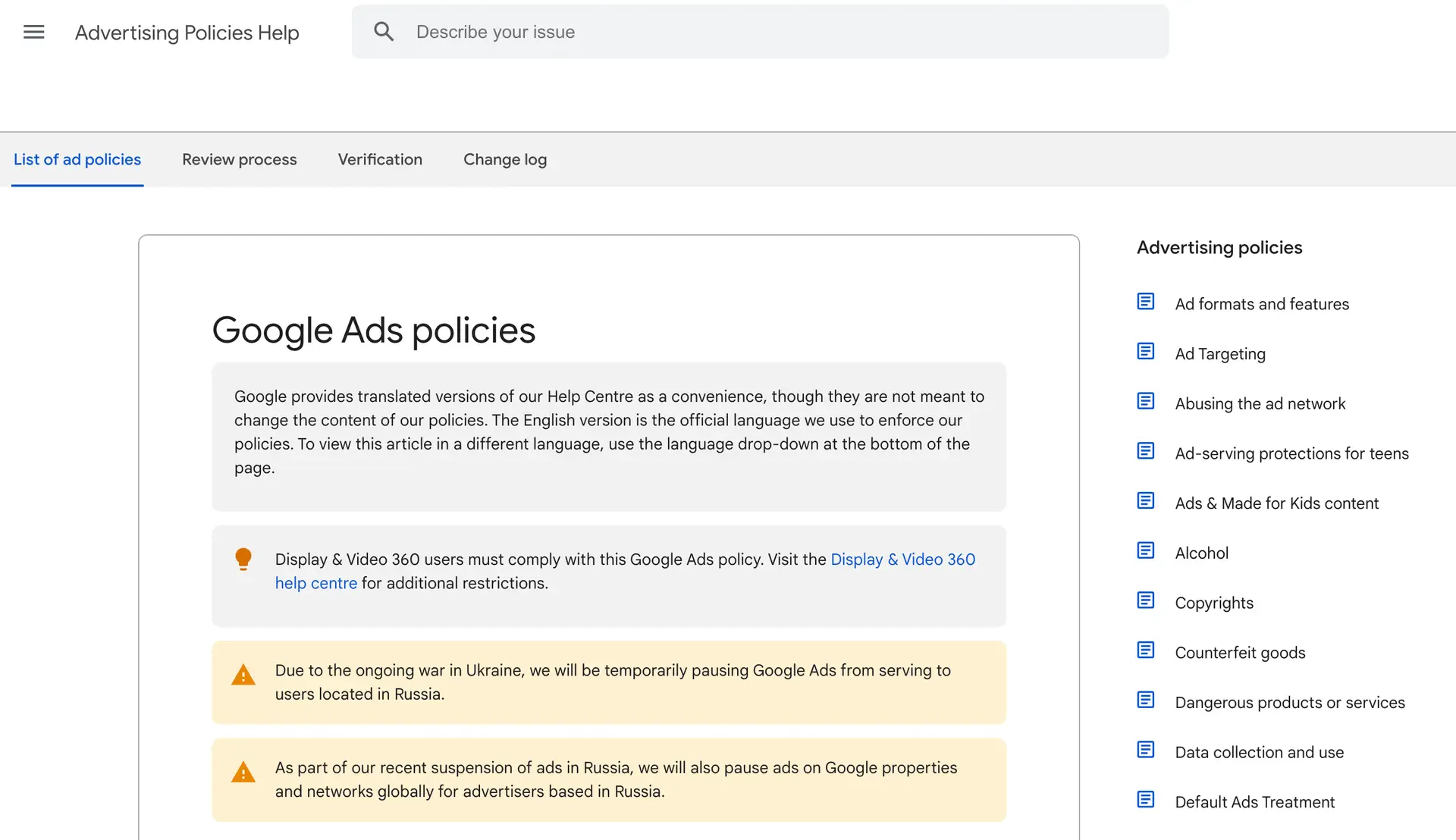

A Google Ads suspension can stop your traffic, your leads, and your revenue in a single moment, and it almost always arrives without warning. One day your campaigns are spending and converting, the next your account is disabled and the ads have vanished from the search results. It is one of the most stressful things that can happen to a business that relies on paid search, but it is rarely the end of the road. Most suspensions fall into a small number of categories, and many of them can be appealed and reversed if you understand the cause and respond in the right way. This guide walks through the entire process from start to finish: how to read the suspension notice, how to tell a fixable problem from a fatal one, exactly how to prepare and submit your appeal, what to do while you wait, and how to keep your account healthy so it never happens again. We also explain why a properly managed Google Ads account rarely runs into the policy traps that trigger suspensions in the first place, and how working with a Google Partner specialist means you never have to face an appeal alone.
Having your Google Ads account suspended can be stressful, especially when it’s a vital source of traffic and revenue for your business. Fortunately, some suspensions can be appealed. However, if your account was suspended for more serious violations, reinstating it can be challenging or, in some cases, impossible. In this guide, we’ll explain how to appeal, including how to handle different types of suspensions and why some egregious violations make reinstatement unlikely.
What a Google Ads Suspension Actually Means
A suspension is not the same as a single ad being disapproved. When an individual ad is disapproved, the rest of your account keeps running and only that one ad is paused until you fix it. A suspension is far more serious: it disables the whole account, stops every campaign at once, and prevents you from creating new ads until the issue is resolved. In most cases your ads disappear from Google immediately, which is why a suspension feels so sudden and so damaging. If you have noticed your ads stop showing and you are not sure whether it is a suspension or a different problem, our guides on why your Google Ads are not showing and why your Google Ads are not working can help you tell the difference before you assume the worst.
There are two broad reasons Google suspends an account. The first is a policy or compliance problem with how the account, the ads, or the destination website are set up. The second is a trust and safety judgement, where Google believes the account poses a risk to its users. The first kind is usually fixable. The second is much harder, and in the most serious cases it is permanent. Knowing which one you are dealing with is the single most important step, because it determines whether you should be preparing an appeal or rebuilding on a fresh footing. Acting quickly matters too, but acting correctly matters far more: a rushed or careless appeal can use up one of your limited chances and make reinstatement harder.
Step 1: Understand Why Your Account Was Suspended
Before appealing, it’s crucial to understand the reason for your suspension. Google Ads sends an email outlining the issue, or you can find this information within your Google Ads account:
- Sign in to your Google Ads account.
- Look for any alerts or notifications regarding the suspension on the dashboard.
- Carefully read the message to identify which policy or guideline has been violated.
There are two primary categories of suspensions:
- Fixable issues: such as billing problems, misleading ads, or policy violations, which can often be resolved.
- Egregious violations: more serious offences that are unlikely to be overturned. These are typically non-negotiable.
Let’s dive deeper into these two categories.
Egregious Violations: Unlikely to Be Reinstated
Google takes certain violations extremely seriously, and accounts suspended for these reasons are often permanently disabled with no possibility of reinstatement. Here are some examples of egregious violations:
- Circumventing Systems: This refers to attempts to bypass Google’s review processes or technical limitations. Examples include cloaking (showing different content to users and Google), using unsupported or malicious scripts, or manipulating click data. Google views this as a breach of trust, and accounts suspended for circumventing systems are rarely reinstated.
- Phishing and Deceptive Practices: If your ads are found to promote phishing schemes (attempts to steal sensitive information like passwords or credit card details) or otherwise deceive users, your account may be permanently suspended. This includes fake landing pages designed to trick users into providing personal information.
- Malware and Unauthorised Software: Promoting websites that distribute malware or malicious software can lead to an immediate and permanent suspension. Google prioritises user safety, and this is one of the most severe violations.
- Counterfeit Goods: Ads promoting counterfeit products, such as fake designer brands or knock-off electronics, result in strict penalties. Google is stringent in its enforcement of intellectual property rights and is unlikely to lift a suspension for such violations.
- Repeated Policy Violations: Even if your violations are not severe, if you continuously violate Google’s policies after multiple warnings and account suspensions, you may be considered a high-risk advertiser, leading to a permanent suspension.
If your account is suspended for any of these reasons, it’s highly unlikely that an appeal will be successful. Google considers such violations to be deliberate and damaging to its users’ safety and the platform’s integrity.
Destination and Website Problems That Trigger Suspensions
Not every suspension is about the ads themselves. A large share of policy suspensions come from the destination, which is the website or landing page the ad sends people to. Google holds advertisers responsible for the whole journey, not just the headline, so a perfectly worded ad can still get an account suspended if the page behind it breaks the rules. Common destination problems include missing or incomplete contact information, no clear privacy policy, prices or claims on the page that do not match the ad, broken pages, aggressive pop-ups, or content that Google treats as restricted. The "destination not working" and "destination mismatch" policies catch a lot of legitimate businesses simply because nobody checked that the landing page met Google’s standards before the campaign went live.
Before you appeal a destination-related suspension, audit every landing page you send traffic to. Make sure each page loads quickly on mobile, has visible business details and a privacy policy, and that the offer on the page matches the offer in the ad word for word. If your pages are slow, thin, or confusing, fixing them is not just about reinstatement, it also improves your Quality Score, which lowers your costs once you are back up and running.
Compromised Accounts and Unauthorised Access
Sometimes a suspension has nothing to do with anything you did. If a hacker gains access to your Google Ads account, they may run ads that breach policy, change your billing, or use your budget to promote scams. Google may then suspend the account to protect its users, even though you are the victim. If you suspect this has happened, secure your Google account first by changing the password and turning on two-step verification, review who has access under account settings, and remove any users or managers you do not recognise. When you appeal, explain clearly that the account was compromised, what you have done to secure it, and ask Google to review the unauthorised activity. Honesty and a clear timeline make these appeals far more likely to succeed.
Step 2: Fixable Violations: How to Resolve and Appeal
For non-egregious violations, there’s a better chance of having your account reinstated. Once you identify the reason for your suspension, you can work on resolving the issue:
- Billing issues: Ensure your payment methods are valid and up-to-date. If there are any discrepancies or unauthorised transactions, work with your payment provider to resolve them.
- Misleading ads: Review your ads for accuracy. Any claims made must be substantiated, and your landing pages must be relevant to the ad content. Remove or correct any misleading content.
- Policy violations: Ensure your ads comply with Google’s advertising policies. This includes following rules about prohibited content (e.g., illegal products or services) and restricted content (e.g., adult content, healthcare-related ads).
Once the issue is resolved, you can submit an appeal using the following process.
Suspicious Payment Activity: The Most Common Fixable Suspension
By far the most common suspension that small businesses run into is the "suspicious payment activity" suspension. It sounds alarming, but it is usually a fraud check rather than a punishment. Google flags a payment method or account when something looks unusual, such as a new card, a change of billing country, a card that has been declined repeatedly, or a payment profile that resembles a pattern it has seen abused before. The good news is that this type of suspension is one of the most reversible of all, provided you respond calmly and supply what Google asks for. Do not open a second account to get around it, because running ads from a new account to dodge a suspension is itself a serious violation and will usually get both accounts disabled.
To resolve a payment suspension, sign in and check the payment settings for any declined charges or expired cards, make sure the billing name and address exactly match the card, and remove any payment method you no longer recognise. If Google asks you to verify your identity or business, provide clear, legible documents that match the details on the account. Keeping your billing healthy and your budgets sensible also reduces the chance of a flag in the first place, and our Google Ads budget guide explains how to set spend at a level that looks consistent and trustworthy rather than erratic.
Step 3: Submit Your Appeal
- Access the Appeal Form: You can access the form through your Google Ads account or via Google’s appeal page.
- Provide Clear Information:
- Explain the issue: Be clear and honest about the violation and how you’ve addressed it. Include as much detail as possible, but keep it concise.
- Proof of resolution: If applicable, include supporting documents or screenshots to show the steps you’ve taken to fix the problem.
- Submit the Appeal: After submitting the appeal, Google will review your case. This typically takes a few days but can take longer.
How to Write an Appeal That Google Actually Approves
The wording of your appeal matters more than most people realise. Google reviews huge volumes of appeals, so a clear, honest, specific message stands out and is far more likely to be approved than a vague or defensive one. The goal is to show the reviewer three things quickly: that you understand exactly which policy was broken, that you have already fixed the underlying problem, and that you will not let it happen again. Avoid arguing that the suspension was unfair, even if you feel it was. Reviewers respond to cooperation, not confrontation.
- Name the specific policy. Reference the exact policy from the suspension notice rather than guessing. If the notice mentions "misrepresentation" or "destination not working," use that language so the reviewer can see you have identified the right issue.
- Describe what you changed, concretely. Do not just say you have "fixed it." Explain what you removed, edited, or added, and where. For example, "we added a privacy policy and a contact page to the landing page, and corrected the pricing so it matches the ad."
- Keep it short and factual. A few clear sentences beat a long emotional explanation. Reviewers are scanning, not reading an essay.
- Attach proof where you can. Screenshots, before-and-after links, or invoices that back up your account ownership all strengthen the case.
- Submit once and wait. Sending multiple appeals for the same issue can slow things down or look like you are gaming the system. Make your strongest single case and give Google time to respond.
If your suspension is tied to how your ads are built rather than your website, it is worth taking the time to get the fundamentals right before you reappeal. Reviewing your keyword choices, your match types, and your bid strategy will not just help with reinstatement, it sets the account up to perform once it is live again.
Step 4: Follow Up on Your Appeal
Once your appeal is submitted, be patient and await a response from Google. If you haven’t received feedback within a reasonable time (usually 7-10 business days), you can follow up with Google Ads support via chat or phone.
What to Do While You Wait for a Decision
Once your appeal is in, the waiting is the hardest part. Most appeals are reviewed within a few business days, though complex cases can take longer. Resist the urge to keep resubmitting. Instead, use the time productively. Check that every other ad, campaign, and landing page in the account is compliant so that a reviewer looking at the account does not find a second problem. Make sure your billing is in order. Document everything you have changed in case you need to follow up. If you do not hear back within seven to ten business days, you can contact Google Ads support through chat or phone to ask for an update, but be patient and polite, as the same team often handles both the appeal and the follow up.
It is also worth ruling out problems that are not really suspensions at all. If your spend suddenly looks wrong or your account behaved oddly before the suspension, click fraud or unusual traffic can sometimes be part of the picture, and Google’s systems may have reacted to it. Understanding the full context helps you write a more accurate appeal and avoids you fixing the wrong thing.
Step 5: Avoid Future Suspensions
Once your account is reinstated (if possible), it’s important to stay compliant with Google’s policies to avoid future issues. Here are some tips:
- Regularly review Google’s ad policies: Stay informed about any updates or changes.
- Monitor your campaigns: Set alerts for any policy violations or issues that may arise.
- Keep your billing information updated: Avoid accidental suspensions due to outdated payment methods.
Build Habits That Keep Your Account Safe
Staying compliant is mostly about routine, not luck. The advertisers who almost never get suspended are the ones who treat policy as part of normal account maintenance rather than an afterthought. A few simple habits make a real difference. Read Google’s policy updates when they are published, because the rules change and what was fine last year may not be fine today. Keep your billing details current so a routine fraud check never turns into a suspension. Make sure every landing page has clear business information, a privacy policy, and content that matches your ads. Be especially careful with anything in a restricted category, such as healthcare, finance, or anything that makes strong claims, and get the right certifications before you advertise it.
It also helps to understand the modern Google Ads landscape, because automation now makes many decisions on your behalf. Our guide on how AI is changing Google Ads and our overview of Performance Max campaigns both explain where automated systems can quietly push an account into territory you did not intend. If you would rather not police all of this yourself, that is precisely the kind of ongoing oversight a good digital marketing agency provides as a matter of course.
Conclusion
Appealing a Google Ads suspension depends on the nature of the violation. For minor or fixable issues, there’s a good chance of reinstating your account. However, for egregious violations such as circumventing systems or promoting counterfeit goods, the odds are slim. Being transparent and making the necessary changes will increase your chances of a successful appeal. If you’re unsure of how to proceed, DPOM can help manage your campaigns and ensure compliance with Google Ads policies, so your account remains in good standing.
How a Properly Managed Account Avoids Suspensions Altogether
The hard truth about most suspensions is that they are preventable. The policy violations that get accounts disabled almost always come from small oversights: an ad claim that cannot be substantiated, a landing page missing a privacy policy, a billing detail that does not match, or a restricted product promoted without the right approval. None of these are difficult to avoid when someone who knows Google’s policies is watching the account every week, but they are easy to miss when you are running campaigns yourself alongside everything else a business owner has to do.
This is exactly where having a specialist in your corner pays for itself. At DPOM we have been a Google Partner for years and have managed Google Ads for more than 4,000 UK businesses over the past 15 years. We know the policies that trip people up, we review accounts and landing pages against them before campaigns go live, and we keep billing, conversion tracking, and ad copy in good standing so the conditions that lead to a suspension never build up in the first place. Our Google Ads management starts from £145 a month, there are no long contracts, and you keep ownership of your own account. If the worst does happen, you are not staring at the appeal form on your own at midnight; you have a team who has handled it many times before. You can also read our companion guide on how to avoid common Google Ads policy violations to see the same checks we run, and if you want a second opinion on your current setup we offer a free Google Ads audit with no obligation.
Common Questions About Google Ads Suspensions
How long does a Google Ads appeal take?
Most appeals are reviewed within a few business days, though more complex cases can take a week or longer. If you have not heard back within seven to ten business days, it is reasonable to contact support for an update.
Can I just open a new account instead of appealing?
No. Creating a new account to get around a suspension is itself a serious policy violation, and Google is good at detecting it. It usually results in the new account being suspended too. Always work to reinstate the existing account through the proper appeal process.
What if my appeal is rejected?
If a fixable suspension is rejected, review the reason carefully, make sure you have genuinely resolved the underlying issue, and submit a clearer, better evidenced appeal. If the suspension is for an egregious violation, repeated appeals are unlikely to succeed, and the better use of your time is often a clean, compliant fresh start built correctly from day one.
Will managing my account professionally stop suspensions?
It dramatically reduces the risk. Most suspensions come from preventable policy mistakes, and a specialist who reviews your ads, landing pages, and billing against Google’s policies catches those problems before they ever trigger a suspension. It also means that if a flag does appear, you have an experienced team to handle the appeal for you.

Brett Dixon
Founder & Managing Director of DPOM. Brett founded DPOM nearly 15 years ago after a career in marketing working with Harvey Nichols, BBC Top Gear, Formula One circuits, and UK Trade and Investment. His passion became helping smaller businesses grow, with honest advice, no jargon, and realistic expectations.
Let Specialists Manage Your Google Ads
Avoid the policy mistakes that get accounts suspended. As a Google Partner with 15 years and 4,000+ UK clients, our team keeps your account compliant and performing, from £145 a month with no long contracts.
Let Us Manage Your Google Ads →